The anatomy of a broken app: Avoiding common mistakes in web-to-app conversions

Apps break for the same reason bodies do: Weak internal systems. Framework instability, lags, broken navigation, inconsistent design, poor engagement, and ignored updates all stem from fragile structure. Median.co builds that foundation with native architecture that supports navigation, rendering, and compliance by design. The result is apps that perform reliably, look consistent across devices, and stay stable through every update. If your app’s starting to show cracks, the fix isn’t more effort, it’s better structure.
Apps do not fail without warnings. The signs are always there: Performance drops, crashes increase, users drift away. Each issue traces back to one thing: structure.
When frameworks aren’t built for mobile environments or updates fall behind, instability spreads across your entire app ecosystem. Design begins to feel disconnected, navigation loses clarity, and engagement fades. Over time, your app stops working the way it was intended.
Understanding the anatomy of a broken app tells you exactly how these systems interact, and how to build stronger ones that last.
Enter your URL to build a native app now
💀 The skeleton: Your app framework and architecture

Your app’s framework is its skeleton. It gives shape to the app’s interface, connects each component, and supports every user interaction. If your app’s framework isn’t designed for mobile environments – like most apps out there – it will fail.
Web-to-app conversions often rely on wrappers, a webview app wrapped in a native container, also referred to as a hybrid app.
While at first, these type of apps seem to work *just* fine (i.e., its native navigation system works, screens load, buttons respond). However, under stress, real (heavy) traffic, multiple user sessions, new OS updates, their structure will start to show instability.
A weak framework leads to subtle instability, inconsistent gestures, constant lags, and memory issues that compound over time. Taking the time to build your app’s architecture will save you extra effort, additional development costs, and avoids the risk of your app failing.
A well-built architecture operates quietly in the background. It keeps navigation reliable, manages assets efficiently, and aligns with iOS and Android standards.
Apps built on a strong foundation maintain performance and stability long term, without needing reactive fixes later.
Tip: Maintain performance, memory stability, and iOS/Android OS compatibility by structuring your app around native navigation stacks and lifecycle management while keeping webviews as modular components rather than the core framework.
🖤 The heart: Your app’s performance and responsiveness

On the user end, performance is defined by how an app feels. Don’t expect a user to think in load times. Rather, they feel delays, stutters, or lags. Even a few hundred milliseconds can make your app seem unresponsive.
Almost all performance issues start with unoptimized web content: heavy scripts, large images, and redundant libraries. On mobile, these inefficiencies multiply due to limited processing power, memory, and fluctuating networks. An app that runs smoothly on desktop can feel excruciatingly sluggish when wrapped for mobile because the rendering pipeline and resource handling differ.
Optimized apps respect native behavior. They minimize bundle size, preload assets, and manage transitions efficiently (principles outlined in our webview app performance guide). To users, it feels immediate and natural.
Tip: Maintain responsiveness by optimizing your web assets for mobile rendering, minimizing script execution on the main thread, and preloading frequently accessed resources.
🧠 The brain: Your app’s logic and navigation

Think of it this way: The brain coordinates flow and intent. When it fails, your app loses direction: Screens misfire, gestures loop, and navigation begins to break down.
Navigation issues often start when web logic is copied directly into a mobile framework, often a result of converting your website into an app without taking proper measures.
On the web, pages reload and reset state with each URL change. In mobile, navigation depends on preserved states and stacked screens.
When these systems aren’t properly translated, context gets lost (i.e., deep links open the wrong views, gestures backtrack unpredictably, and sessions restart without warning).
Your app users will feel that confusion immediately. They will eventually lose trust in the flow and stop exploring, causing your app user retention rates to fluctuate.
A strong navigation logic preserves memory and intent. It remembers where users came from, where they’re going, and responds consistently across entry points (push notifications, browsers, or external apps).
When logic mirrors user behavior instead of backend structure, the experience feels seamless, deliberate, and intuitive.
Want to learn more about our plugins?
Launch a full-feature native app without native development!

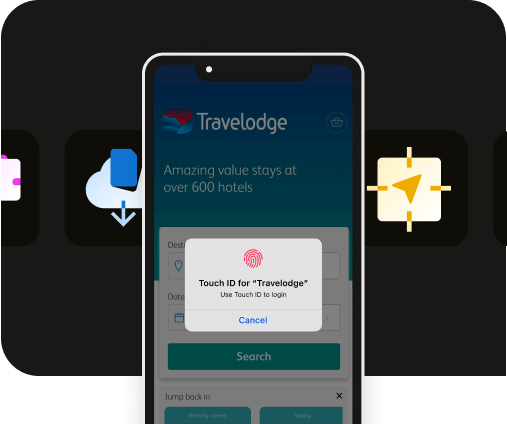
✋ The skin: Your app’s interface and design

An app’s interface is more than just color and layout. It’s where you build trust in a single interaction.
If your app’s design has any inconsistencies, it will instantly break your user’s trust. Fonts that shift across devices, buttons that move slightly out of place, or animations that feel off rhythm all suggest the app isn’t fully native – every app developers’ biggest nightmare.
These issues often appear when web designs are copied directly into mobile without accounting for typography scaling, safe areas, or dynamic color modes.
The interface might look correct but will still feel disconnected from the device. A strong app interface should respect platform standards.
Fonts should use system weights, motion must follow native easing curves, and color should adapt to light and dark modes. When each element behaves as the user expects, the design feels natural, consistent, and reliable.
💡 Did you know? Users form an impression of an app’s credibility within the first 50 milliseconds of seeing its interface. Even minor inconsistencies in color, spacing, or motion can reduce perceived trust and quality.
⚡ The nerves: Your app’s engagement and feedback loop

In apps, engagement starts with awareness. It is at this point where your app begins to listen. If your app doesn't respond to users, it loses relevance, and overtime, this will seriously affect your retention rate.
Without clear feedback loops, meaningful notifications, or data-driven insights, engagement rates also vanish: Users install your app, open it once, and move on.
Strong engagement systems work like nerves. They send and receive signals through push notifications, analytics, and event tracking, creating a continuous exchange between user and app. Each of these actions trigger a deliberate, consistent response.
Native frameworks strengthen this system by managing permissions, respecting focus modes, and ensuring reliable delivery. Following best practices to improve app engagement helps align these behaviors with platform expectations.
Engagement isn’t about more communication, it’s about relevance and timing. When feedback flows both ways, the app feels aware, responsive, and alive.
Tip: To fix engagement in a broken app, rebuild how it responds to users. Use native push systems, respect focus settings, and send updates that matter, not just more of them.
🧬 The immune system: Your app’s ongoing updates and maintenance

Apps adapt to the platforms they run on. These platforms evolve, their APIs deprecate, and sometimes, even their SDKs change. Ignoring that progression slowly leads to a broken app.
Maintenance issues start small: A console warning, a deprecated method, or a rejected store build. Over time, each missed update adds instability and weakens the overall structure.Conducting consistent maintenance routines can help you catch these problems early on.
Regular updates maintain compliance, prevent regressions, and keep apps compatible with new OS versions, frameworks, and hardware. Continuous upkeep keeps performance steady and code reliable.

Want to know how it all works?
Get hands-on with Median’s comprehensive documentation, and build your app with ease.

🔧 The fix: Stronger app builds with Median.co
Every weakness above, framework instability, slow performance, broken navigation, inconsistent design, poor engagement, or neglected maintenance traces back to one cause: a fragile structure.
Median.co approaches web to app conversions differently. The goal isn’t to wrap your existing site but to give it a native foundation built for performance, reliability, and long-term stability.
The Median.co framework manages navigation, rendering, and compliance natively. Apps built on it are equipped with consistent performance, precise design alignment, and predictable update cycles. Everything works together as one system – not a collection of patched parts.
Resilient apps aren’t the result of extra effort, they’re the result of sound architecture. With the right foundation, your app adapts, scales, and endures.
Enter your URL to build a native app now
Summary
Every failing app shares the same root cause: weak structure. Performance drops, designs drift, navigation breaks, and engagement fades when the foundation isn’t built for longevity.
Median.co takes a different approach. It builds a native foundation that handles navigation, rendering, and compliance by design. The result is stability that doesn’t rely on patchwork fixes.
Strong apps aren’t built through quick wins. They last because their structure supports every part that follows.
Case Studies
Discover how Median empowers companies to speed mobile app development, engage users, and reduce expenses.
Frequently asked questions
What are the common causes of a broken app?
Common causes include coding errors, incompatible updates, server issues, poor user interface design, and lack of proper testing before release.
How can I identify if an app is broken?
Signs of a broken app include frequent crashes, slow performance, unresponsive buttons, error messages, and features that don’t work as expected.
What role does app architecture play in preventing app breakage?
A well-designed app architecture ensures modularity, scalability, and easier debugging, which helps prevent many issues that cause apps to break.
How important is testing in maintaining app stability?
Extensive testing, including unit, integration, and user acceptance testing, is crucial to detect and fix bugs before release, reducing the chances of app breakage.
What steps can developers take to fix a broken app?
Developers should analyze error logs, replicate issues, update dependencies, optimize code, and release patches promptly to restore app functionality.

to top
Related articles