What’s new in iOS 26? Features, supported devices list, and more

iOS 26 launches September 15, 2025, with a new design language, smarter features, and wide device support. Median.co apps built after release are automatically optimized, while older apps should be updated in App Studio.
Apple is set to release iOS 26 on September 15, 2025. What’s interesting this time (alongside its cool new features) is Apple’s version-naming: instead of moving from iOS 18 → 19, Apple skipped straight to iOS 26 to align its OS version numbers with the upcoming year.
This change isn’t just cosmetic — it signals a broader shift toward consistency across Apple’s software ecosystem.
In this blog, we’ll break down what iOS 26 brings: from its fresh “Liquid Glass” interface changes to smarter system-wide features, which iPhones get the new update, and what Median.co app developers need to do to stay compliant.
Enter your URL to build an iOS 26 compatible app
Key takeaways:
iOS 26 launches on September 15, 2025, with a new Liquid Glass design language, smarter communication tools, and system-level intelligence.
The update supports a wide range of devices, starting from the iPhone 11 series and SE (2nd generation) up to the newest iPhone 17 lineup.
New apps built with Median.co after the release of iOS 26 are automatically optimized for iOS 26, and existing apps only need a simple update in App Studio to stay compliant.
What’s new in iOS 26
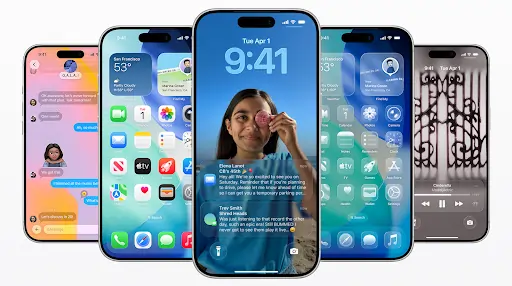
Source: Apple
1. Interface changes with Liquid Glass
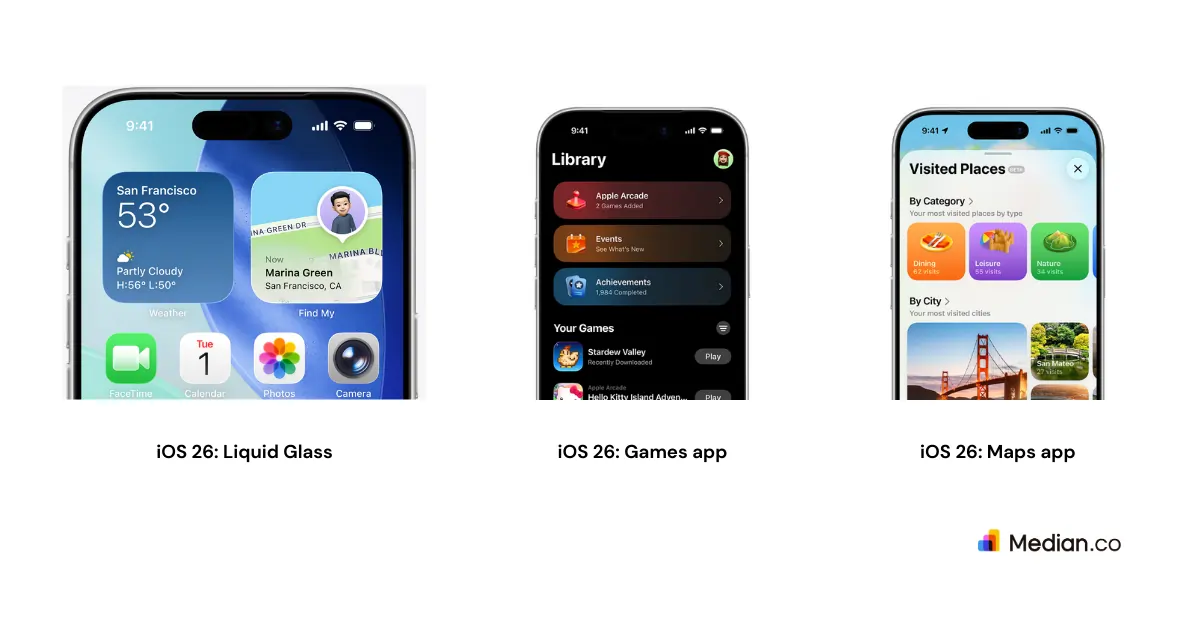
iOS 26 features: Liquid Glass, new Games app features & new Maps app features
iOS 26 will feature the new Liquid Glass design language, bringing translucent layers, refined icons, and motion-responsive elements across the system.
The Lock Screen now adapts its typography dynamically to match the wallpaper, and app icons support light, dark, and glass-tinted styles that adjust based on context.
2. Updates to communication tools
Live Translation is now built directly into Messages, FaceTime, and even phone calls, making cross-language conversations more seamless.
AirPods also gain the ability to translate spoken language in real time.
On top of that, both the Messages and Phone apps receive new screening options and layout refinements to make communication more manageable.
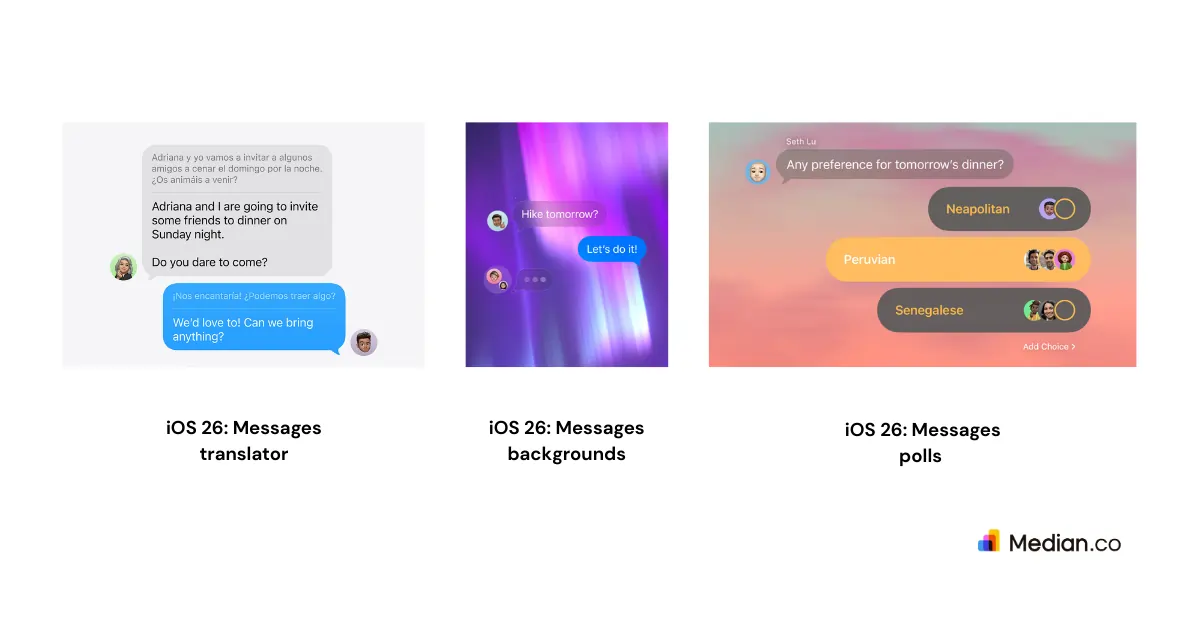
iOS 26: New Messages app features
3. Maps improvements
Apple Maps gets more personal with routing that adapts to the paths you take most often. It also provides advance alerts for delays along your preferred routes.
A new Visited Places feature keeps a record of the locations you’ve been to, making it easier to revisit or share them later.
4. New Games hub
All gaming activity now lives in a centralized Games app.
It gives you one place to manage your installed titles, track achievements, and see what friends are playing.
The app also highlights recommendations and ongoing events, so you don’t need to jump between different services.
5. System-level intelligence
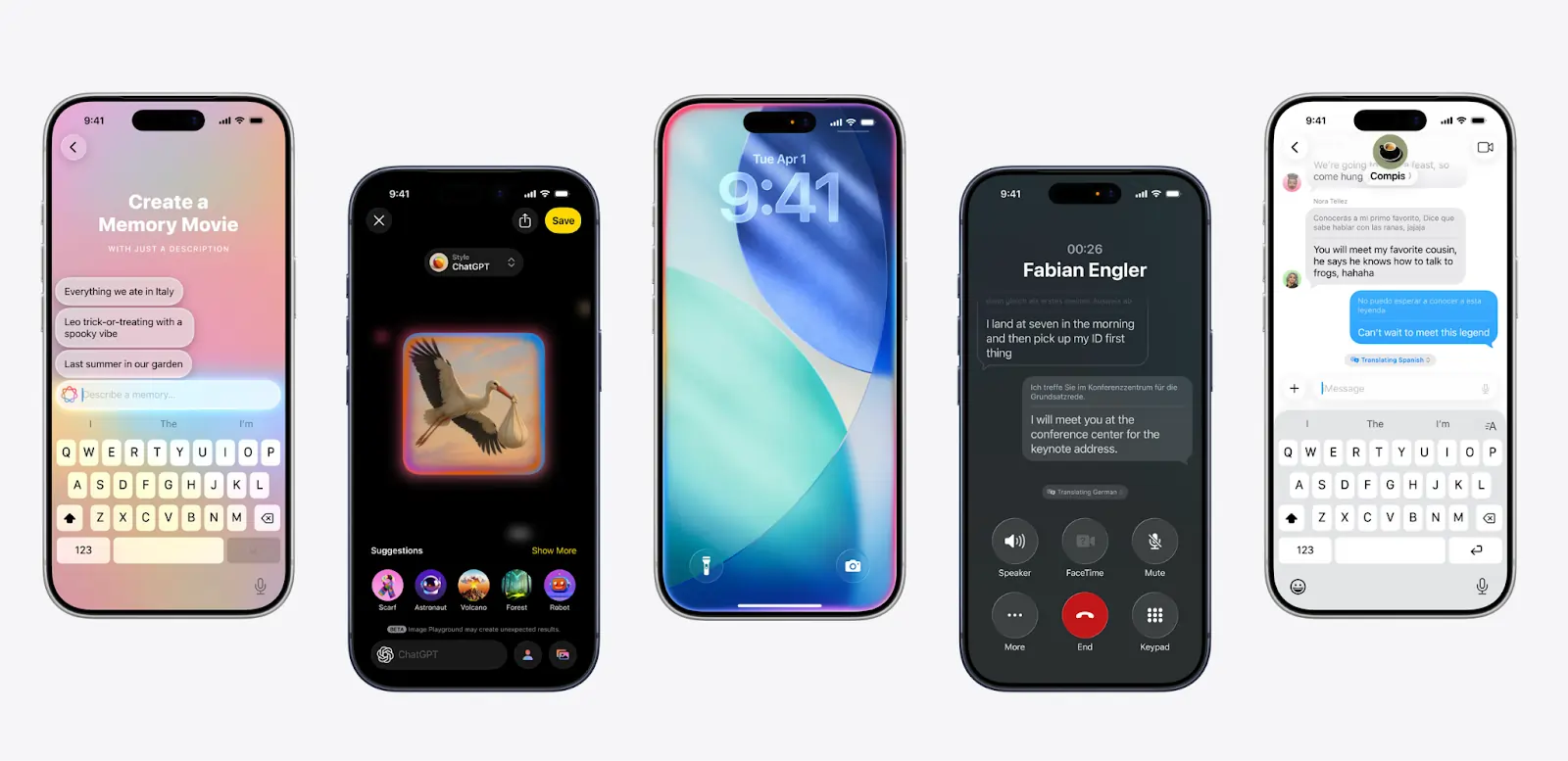
iOS 26: Apple Intelligence (Source: Apple)
Apple Intelligence expands its role across the system, improving search, providing more contextual awareness, and offering on-screen action suggestions.
There’s also a new Adaptive Power Mode that automatically adjusts brightness and performance to extend battery life without user intervention.
Which iPhone devices are compatible with the new iOS 26
Apple has confirmed that iOS 26 supports a wide range of devices, extending from the newest iPhone 17 lineup to older models like the iPhone 11 series and iPhone SE (2nd generation and later). See image below for the the full list:
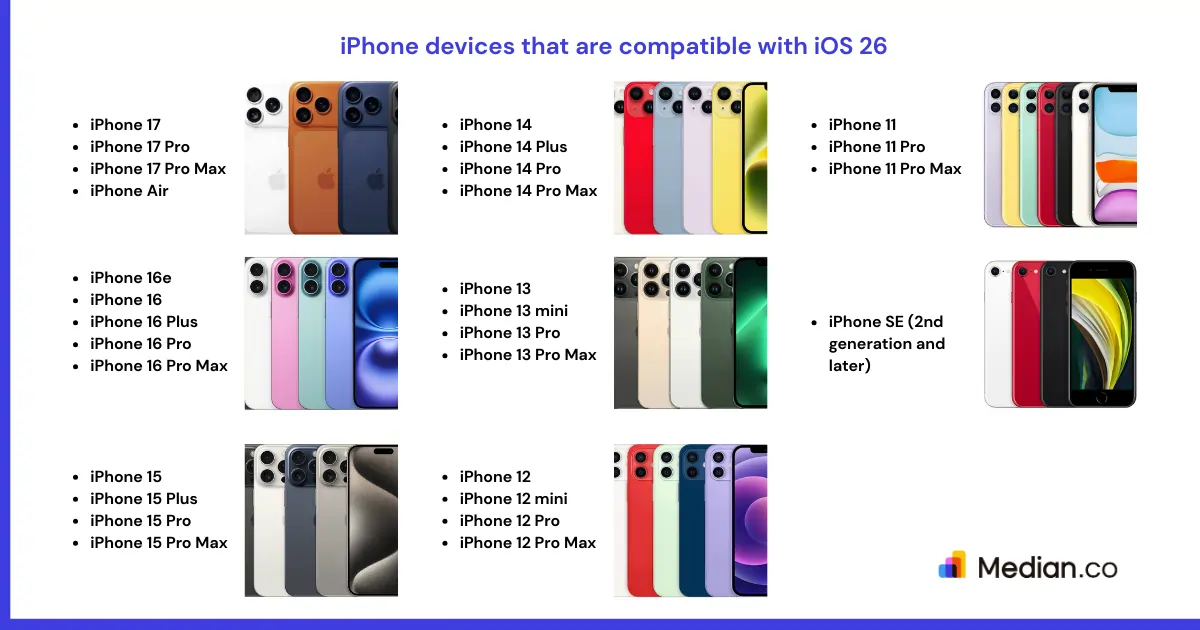
iPhone 17 series: Released in 2025, this lineup includes the iPhone 17, iPhone 17 Pro, iPhone 17 Pro Max, and iPhone Air.
iPhone 16 series: Released in 2024, this lineup includes the iPhone 16e, iPhone 16, iPhone 16 Plus, iPhone 16 Pro, and iPhone 16 Pro Max.
iPhone 15 series: Released in 2023, this lineup includes the iPhone 15, iPhone 15 Plus, iPhone 15 Pro, and iPhone 15 Pro Max.
iPhone 14 series: Released in 2022, this lineup includes the iPhone 14, iPhone 14 Plus, iPhone 14 Pro, and iPhone 14 Pro Max.
iPhone 13 series: Released in 2021, this lineup includes the iPhone 13, iPhone 13 mini, iPhone 13 Pro, and iPhone 13 Pro Max.
iPhone 12 series: Released in 2020, this lineup includes the iPhone 12, iPhone 12 mini, iPhone 12 Pro, and iPhone 12 Pro Max
iPhone 11 series: Released in 2019, this lineup includes the iPhone 11, iPhone 11 Pro, and iPhone 11 Pro Max.
iPhone SE: Compatible models start with the 2nd generation released in 2020, along with the 3rd generation released in 2022.
In a nutshell: If you’re using an iPhone 11 or later — or an iPhone SE from the 2nd generation onwards — you’ll be able to install iOS 26.
This broad compatibility ensures that even users on older hardware can benefit from Apple’s newest design updates and features.
Instant app store facelift. No designer required.
Unlock Median’s 500+ free Figma app store screenshot templates designed to meet iOS and Android guidelines. Your app will look its best across platforms, resulting in more downloads and a more powerful app store presence.
What does the new iOS 26 update mean for your Median.co app?
If you’re building with Median.co, you don’t need to take any extra steps for new projects.
All apps created after the release of iOS 26 are automatically optimized for Apple’s latest system. For apps that were built before iOS 26 rolled out, we recommend creating an update in App Studio and publishing it to the App Store.
This ensures your users get the best possible experience with the new design language, improved features, and performance enhancements.
Want to learn more about our plugins?
Launch a full-feature native app without native development!

Summary
iOS 26 brings a blend of visual refinement, smarter communication tools, system-level intelligence, and app updates that make everyday use feel more fluid.
With broad compatibility stretching back to the iPhone 11 and SE (2nd generation), most users will be able to take advantage of these improvements.
For Median.co customers, the update is seamless; new apps will be optimized, and existing apps only require a simple update in App Studio to stay fully aligned with Apple’s latest release.

Want to know how it all works?
Get hands-on with Median’s comprehensive documentation, and build your app with ease.

Frequently asked questions
Will my webview app work on iOS 26?
Yes. If you’ve built a webview app with Median.co, it will run on iOS 26 without extra work. New apps created after the update are automatically optimized, and for existing apps you only need to create an update in Median's App Studio and republish it to the App Store.
Do I need to republish my app to the App Store after iOS 26 is released?
If your app was published before iOS 26 rolled out, we recommend republishing an update. This ensures Apple reviews your app under the latest system requirements and your users get the best experience with iOS 26’s design and performance improvements.
How do I get my iPhone UDID for iOS 26 testing?
To register your device for beta testing or app development, you’ll need its UDID (Unique Device Identifier). You can retrieve your UDID by connecting your iPhone to a computer and checking it in Finder or iTunes — or by using Median.co’s UDID Retrieval Utility for a faster, easier option. For public iOS 26 updates, UDIDs aren’t required — they’re only needed for development and testing.

to top
Related articles