How to convert an AI web project into a native app

You’ve gotten started with a new website. Now what? No matter the platform you used, you can easily turn it into a fully functional native iOS and Android app using Median.co — no coding required. This gives you access to all new tools and powerful native features like push notifications, offline functionality, app store publishing, and more. It’s time to boost your engagement and growth.
There are many options out there for using web-based, AI-driven platforms to create a website. However, the modern user isn’t tied to a browser. They're on mobile.
And if your site isn’t accessible as a native app, you're missing out on retention, engagement, and monetization.
With Median.co, you can convert your website into a fully functional native iOS and Android app — complete with native capabilities — with little to no code.
Enter your any URL and build a native app now
Top 5 platforms that can be converted to into apps
1: Lovable
Lovable, also known as Lovable.dev, is an AI-powered platform that allows users to generate web applications using natural language, without the need to write code. It helps users create a wide range of web apps, including e-commerce platforms, dashboards, content management systems, and social media applications.
By simply describing what you need, Lovable handles the coding and gives you a functional, real-time preview of your web app.
Key features of Lovable include:
Conversational interface: Communicate with the platform just like you would with a developer, receiving immediate feedback and live previews.
Real-time code generation: As you describe your project, Lovable generates code and updates the app instantly.
Modern web technologies: Lovable uses technologies like React, TypeScript, Tailwind CSS, and Supabase, which provide flexibility and scalability.
This conversational, AI-powered development method makes web app creation faster, more efficient, and accessible to non-programmers. But it’s limited in nature to web usage.
2: Replit
Replit is a cloud-based development platform that lets you code, create, and deploy web applications entirely in the cloud.
Each project, called a Repl, spins up a dedicated virtual machine. This gives you a full Linux environment with persistent storage, package access, and system-level capabilities. Replit removes the need for local setup entirely.
You get a powerful code editor, project configuration, terminal access, and real-time previews all in one browser tab.
Every time you run code, it's executed directly in the cloud, with output shown instantly—no local compilation or deployment required. Replit automatically hosts your web app and gives it a live URL, with built-in networking and hosting infrastructure.
Replit is all about simplifying the development cycle — everything from coding to collaborating to deploying — straight from your browser.
It’s an ideal platform for rapid prototyping, collaborative projects, and building web apps you can later scale or convert to native experiences.
3: Netlify
In a nutshell: Netlify is a cloud platform that helps developers build, deploy, and scale modern websites and web applications. It connects directly to your Git repository, automatically building and deploying your site/web app to a global CDN — making your web app or website loads fast, everywhere.
Every time you push new code, Netlify instantly rebuilds and redeploys your site with no manual labor.
Netlify also supports serverless functions for dynamic features without managing backend infrastructure.
It works seamlessly with popular frameworks like React, Vue, Angular, Next.js, and Astro. You also get access to built-in tools for form handling, authentication, image optimization, and visual editing.
But, at its core, Netlify eliminates infrastructure complexity, letting teams focus on delivering great user experiences.
4: Webflow
Webflow is a visual web development platform that you can use to design, build, and launch responsive websites without writing a single line of code.
By combining design, CMS, and hosting into one, seamless platform, it gives developers and designers full control of their projects from concept to launch.
Using the Webflow Designer, you can visually manipulate HTML elements and style them with CSS, while the platform automatically generates clean, semantic code in the background.
Webflow offers powerful CMS capabilities that make it easy to manage dynamic content such as blogs, portfolios, and product listings. If you’re a content creator or a marketer, you can make updates without interfering with the design or layout.
It natively supports advanced interactions and animations, enabling you to create engaging user experiences without relying on external plugins or JavaScript. This makes it ideal for modern websites that demand high levels of interactivity.
Note: Webflow delivers assets via a global CDN, includes automatic responsive image handling, and offers SEO-friendly controls. These features help ensure your site loads fast and ranks well making performance optimization an inherent part of your website design.
5: Framer
Framer is a powerful web design platform that lets you create stunning websites without writing code. It combines the familiar feel of a design tool with advanced web capabilities, allowing you to build everything from portfolios and landing pages to complex websites with dynamic content.
What sets Framer apart is its modern infrastructure and focus on performance. Sites are pre-rendered for fast loading, include built-in privacy-first analytics, and feature automatic resource optimization. Plus, you get access to high-performance animations and real-time collaboration tools that make working with teams seamless.
Framer’s hosting infrastructure is built for simplicity, performance, and reliability, leveraging Amazon Web Services (AWS) with CloudFront, S3, and large in-memory caches.
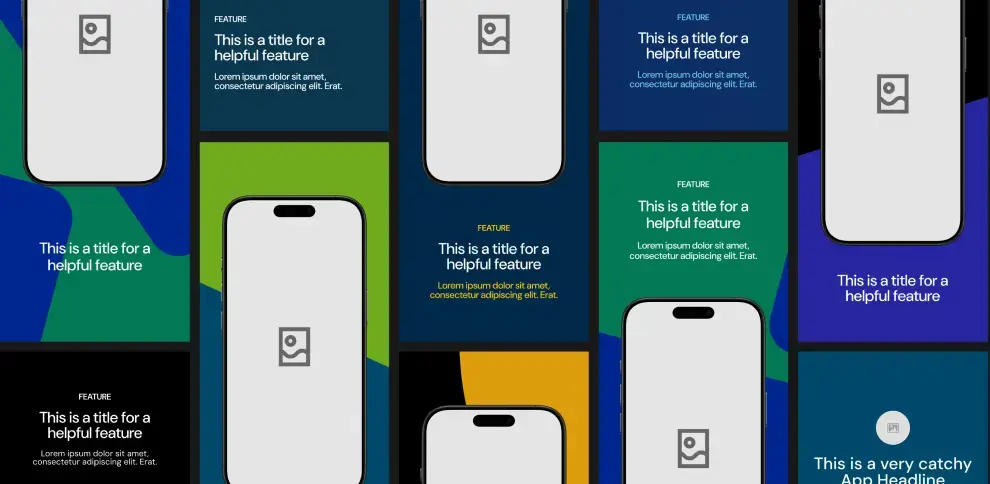
Instant app store facelift. No designer required.
Unlock Median’s 500+ free Figma app store screenshot templates designed to meet iOS and Android guidelines. Your app will look its best across platforms, resulting in more downloads and a more powerful app store presence.
Why convert your AI project into a native app?
Converting your site into a native mobile app is the best way to give users a more seamless experience. With a native app, you can achieve higher engagement rates and better performance than web apps. Some of the benefits of converting to a native app include:
Native app features: With native apps, you can access device-specific features, such as push notifications, GPS, haptic feedback, and camera integration — features that aren’t possible with web apps. These tools can significantly improve how users interact with your app, driving more engagement.
App store presence: Native apps offer the opportunity to publish your app on the Apple App Store and Google Play Store, where users can easily discover, download, and engage with your product. A spot in the app store is a major advantage for brand visibility and customer acquisition.
Offline access: One of the most significant benefits of native mobile apps is offline functionality. Unlike web apps, which require a constant internet connection, native apps store data locally and allow users to interact with the app even when offline.
Improved user engagement and retention: Studies show that mobile apps have much higher engagement and retention rates compared to web apps. Apps can offer more personalized experiences with features like user notifications and reminders, all of which are highly effective for driving repeat usage.
How Median.co can help you convert AI projects into native apps
Median.co offers a simple and cost-effective solution to convert your site into a native iOS and Android app.
Using Median’s App Studio, you can convert any website into a mobile app with native features such as push notifications, haptic feedback, and device-specific functionality like GPS and camera access.
Here are some key benefits of using Median.co:
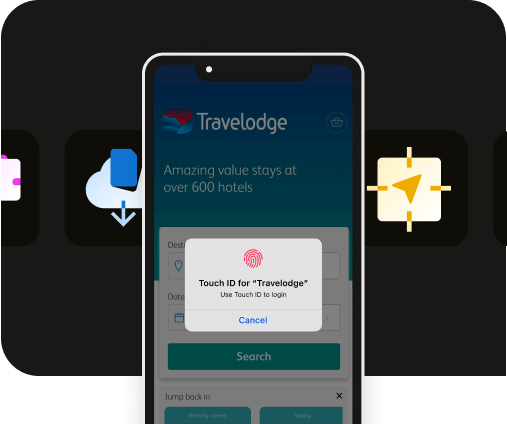
Extensive native plugin library: Median.co's App Studio includes a wide range of native plugins that allow you to easily add advanced native features to your app, such as push notifications, haptics, Face ID/Biometric login, and more — including SDK integrations for leading mobile vendors.
Real-time app building: The platform lets you see real-time updates of your app as you customize it, ensuring you get the exact look and feel you want.
Easy publishing: With Median.co’s publishing service, our team will submit your app to the Apple App Store and Google Play Store while you focus on bigger business projects.
With Median.co, the conversion process is streamlined, and you don’t need to be a developer to create a fully functional mobile app.

Want to know how it all works?
Get hands-on with Median’s comprehensive documentation, and build your app with ease.

How to convert your AI project into a native app using Median.co
Ready to convert your AI project into a native app? Get started with a step-by-step guide to using Median.co's App Studio.
Step 1: Build your app in the Median.co App Studio
Start by visiting https://median.co/app. Enter your site’s URL as the "Website URL" and update your "App Name" as needed.
An email address is required for ongoing access to your app in the App Studio — you’ll then receive an email with a link to verify your account. To continue, click “Start Building my App!”
Step 2: Preview & test your new app
Median.co offers browser-based simulators to preview your app on iOS and Android devices without leaving your web browser.
As a starter, test that the basic functionality within your new app is performing as expected.
Step 3: Customize your app
In the Branding tab, you can upload an app icon and splash screen image or animation, and set theme colors to fully customize your app and align with your brand.
Additionally, you can explore options for Interface Settings, Link Handling, Website Overrides, and Permissions to tailor your app user experience to meet your requirements.
Native Navigation is where you can create a native app experience for your users, as well as finding help to meet Google and Apple design requirements.
Finally, you can explore Median’s Native Plugins to add advanced native features and integrations like push notifications, haptic feedback, and analytics to enhance user experience and maximize outcomes for your app.
Want to learn more about our plugins?
Launch a full-feature native app without native development!

Step 4: Test your app
Now that your app is customized, it’s crucial to test it on different devices before submitting it to the App Stores. Median.co offers:
Browser-based simulators to help ensure everything is functioning properly.
A convenient Public Sharing Link to provide access to stakeholders during testing.
Functionality to easily test on physical devices (an Apple Developer account is required for iOS).
Step 5: Launch your app
Access the License tab to choose a license and annual plan that suits your needs. Median.co offers various tiers based on the functionality needed for your app.
Additionally, Median offers a service to manage the publishing process, ensuring your app is approved by the Apple App Store and Google Play.
Enter any URL to build your free native app
Why native apps offer better business results
Converting your site into a native mobile app is not just about better features—it's also about driving tangible business results. Here's how.
Easier user acquisition: Having your app in the app stores gives your business more credibility. Customers are more likely to download an app that is easily accessible from the Apple App Store or Google Play.
Engagement and retention: Native mobile apps have a higher retention rate than web apps. They provide a more personal and interactive experience through personalized push notifications powered by analytics that can be used to increase user retention. They also offer offline access and native device features, providing easy access to your app and ensuring users stay engaged longer.
Better user experience: Native apps offer faster load times and smoother transitions compared to web apps, which can lead to greater customer satisfaction and higher reviews on app stores.
Revenue generation: With access to in-app purchases, advertisements, and subscriptions, native apps provide more opportunities for monetization compared to traditional web apps.
Case Studies
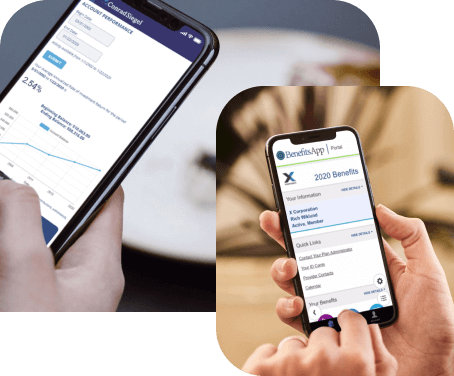
Discover how Median empowers companies to speed mobile app development, engage users, and reduce expenses.
Conclusion
In a nutshell: AI tools help you build dynamic, responsive websites. Median.co takes that one step further by turning your site into a fully native app your users can download, engage with, and rely on daily.
No mobile devs. No infrastructure overhead. Just a direct path to the App Store and Google Play — with support for push notifications, offline access, native navigation, and more.
Ready to convert your site into a native mobile app? Start your journey with Median.co and experience the benefits of native app development today.
Case Studies
Case Studies
Discover how Median empowers companies to speed mobile app development, engage users, and reduce expenses.

to top
Related articles